
Choose a model for each action
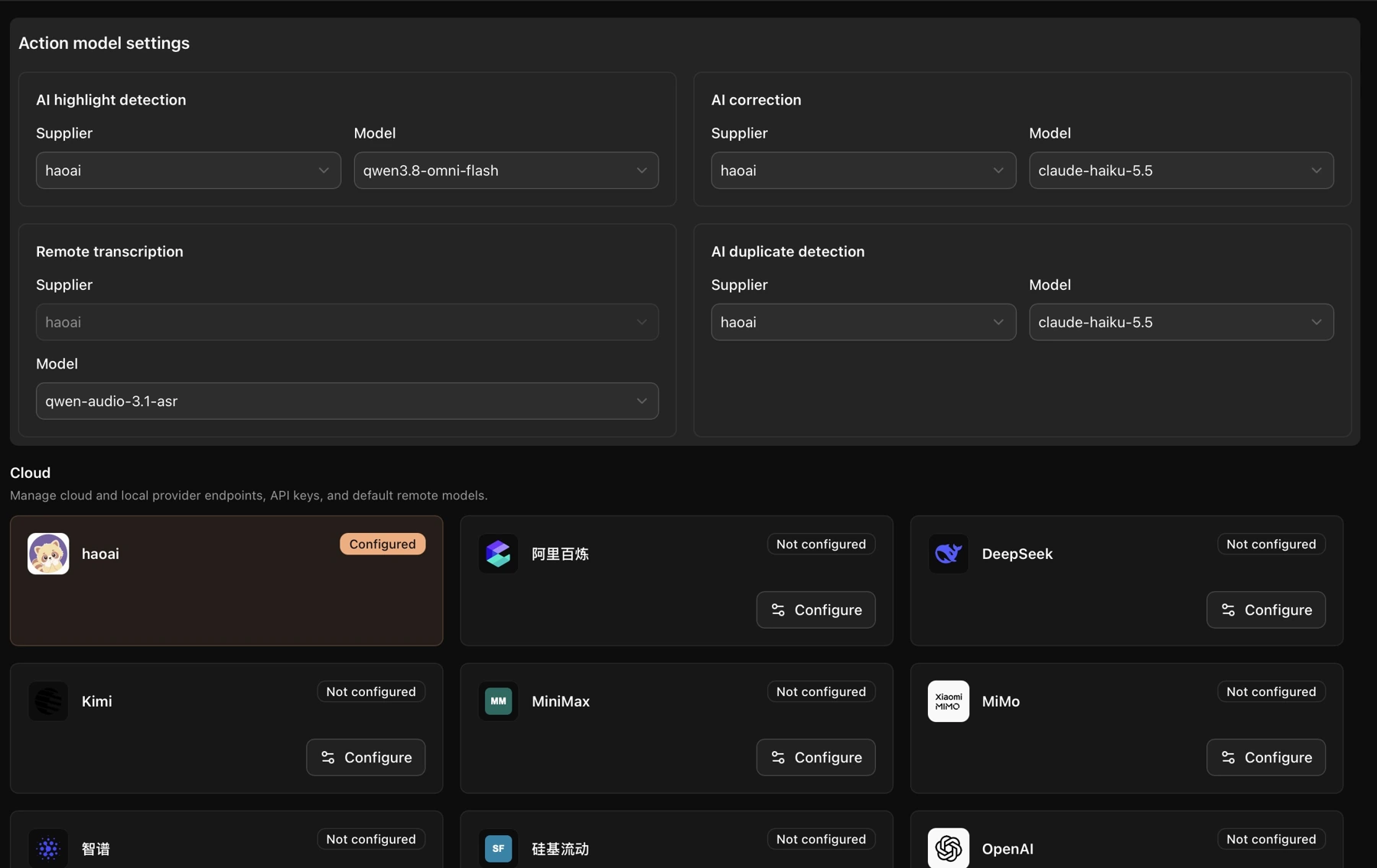
- Click Model API settings in the left navigation.
- At the top, choose a supplier and model for AI highlight detection, AI correction, or AI duplicate detection.
- For remote transcription, use the supplier and model options provided in the interface.
Use your own API
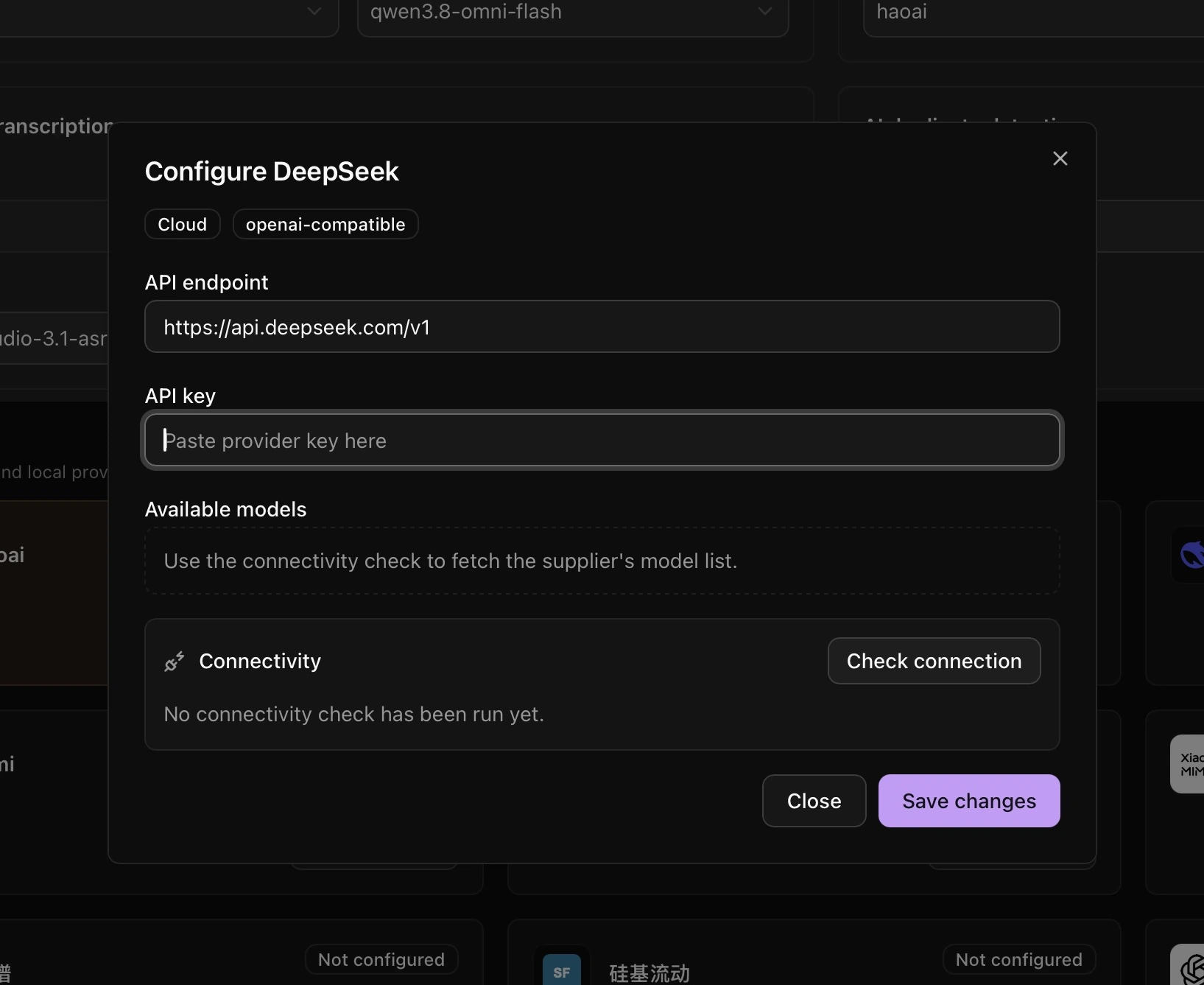
- Click Configure beside a supplier.
- Enter the API URL and API Key, then click Check connection.
- After a successful check, select a model and save the changes. Choose that supplier for the relevant action at the top of the page.
For a local service, use the Ollama or LM Studio entry. Choose a model that supports the action you need. Remote transcription is limited to the options offered in the interface.